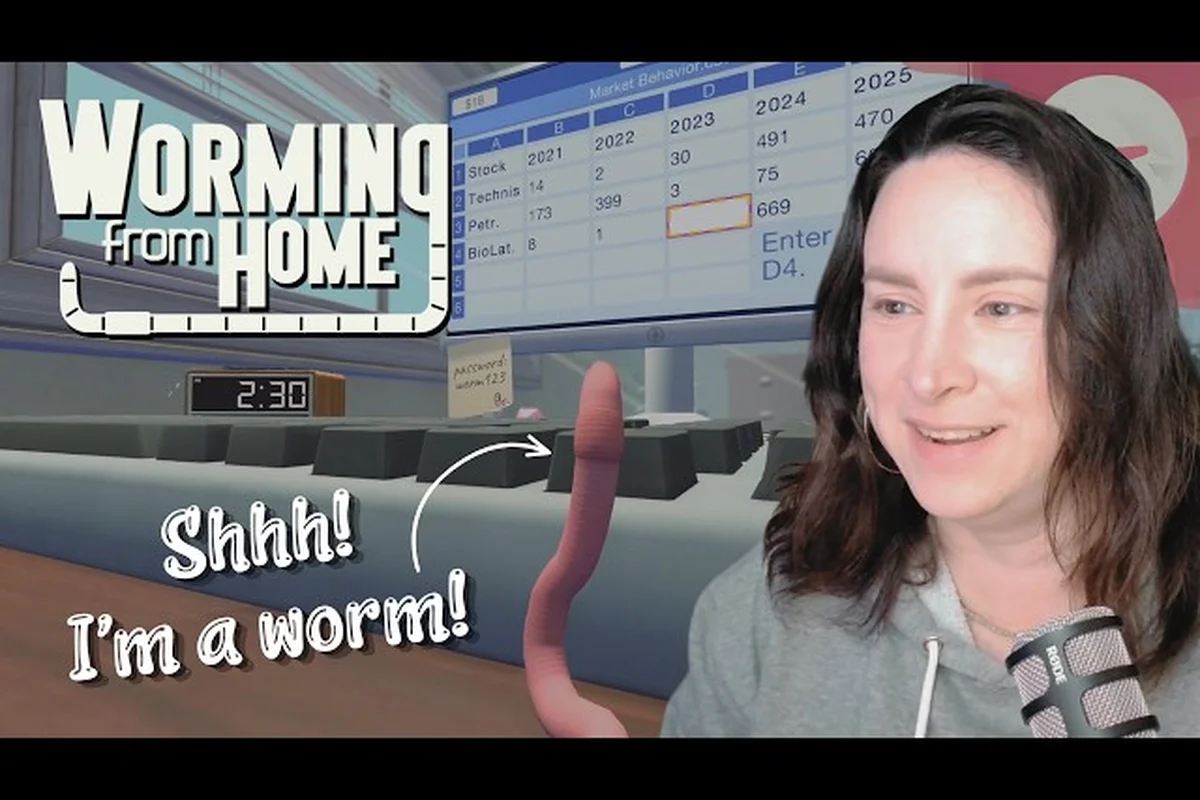
Logging into your virtual desk in Worming from Home starts with a single string of characters: the Worming from Home password worm123. That passcode opens the on-screen workstation and triggers the Welcome to Corporate Finance achievement, which already sits at a 100% global unlock rate on Steam. From the moment that login lands, the game hands you a tiny worm, a tiny phone, and a long climb toward the corner office — and this Worming from Home completionist guide maps the whole route, including every smartphone reward, the Worm Fluencer path, and the post-launch Worming from Home update patch notes you should know before chasing 100%. the corner office — and this Worming from Home completionist guide maps the whole route, including every smartphone reward, the Worm Fluencer path, and the post-launch Worming from Home update patch notes you should know before chasing 100%, and if you are still getting the hang of the basics you can brush up on the core mechanics in the Worming From Home Beginner Guide before tackling the trickier late-game trophies.
Starting the Shift: Logging in with the Worming from Home Password worm123
Your first five minutes in Worming from Home are deceptively simple. The desktop loads, the boss Steve pings you, and a single line of text asks for credentials. Type the Worming from Home password worm123 exactly as written, case-insensitive, and the workstation boots into the junior financial analyst role that defines the entire game. The official store page frames this loop as a ragdoll-driven office sim where you wriggle across the keyboard to answer messages, fill spreadsheets, and invest your way up the corporate ladder, and that loop literally starts the frame your worm settles on the Enter key.
What Happens the Instant You Log In
The login screen is also the gate for your first two achievements. The Welcome to Corporate Finance achievement unlocks as soon as the desktop loads, which is why nearly every Steam profile shows it at 100% in the launch week. The second milestone is tied to your inbox: the very first email from Steve hands you a starter balance and a tutorial task that walks you through the spreadsheet mini-game. The Worming from Home Steam page lists this exact boot sequence as the introductory tutorial, so expect roughly three to five minutes of guided clicking before the sandbox opens.
| Boot Step | Trigger | Resulting Reward / Milestone |
|---|---|---|
| Enter Worming from Home password worm123 | Login screen | Unlocks Welcome to Corporate Finance (100% global unlock) |
| Read Steve's first email | Inbox auto-opens | Starter cash + first spreadsheet task |
| Complete tutorial spreadsheet | Drag-and-drop cells | Unlocks Messages App tutorial |
| Close tutorial popup | Click anywhere | Free-roam mode activates |
Common Login Mistakes to Avoid
A surprising number of new worms get stuck at the very first prompt. The passcode is meant to be shared, but it is also case-insensitive, so "Worm123", "worm123" and "WORM123" all work. Spaces break the input — if you copy the string from a guide and a stray space sneaks in, the screen simply rejects it and re-prompts. If the password field stays grey, you have likely landed on the locker or coffee machine interact prompt instead of the workstation; walk the worm back to the desk and the input box reappears.
Smartphone Rewards and the Secret Phone Unlocks in Worming from Home
Once you log in, the second-most-asked question is what your worm is carrying in its pocket. The on-screen smartphone is the second major reward system in the game, sitting alongside the Messages App, Video Call, and the Spreadsheet. According to the Worming from Home furniture guide, the phone is not a single unlock — it is a layered system that grows as you upgrade your apartment, hit certain perk thresholds, and finish specific story beats.
The Three Layers of Phone Unlocks
| Layer | How to Unlock | What It Adds |
|---|---|---|
| Default Phone | Log in with the Worming from Home password worm123 | Calls, texts, and the M's Birthday calendar event trigger |
| Smart Home Remote | Buy the Smart Lamp from the shop | Control apartment lights, required for two perk triggers |
| Stock Alerts App | Reach Financial Insight perk tier 2 | Live ticker that pings when shares move more than 5% |
The default phone is the one every player starts with, and it immediately schedules the M's Birthday calendar event that doubles as a soft friendship gate. Once you place a Smart Lamp on your desk, the phone upgrades into a remote that interacts with apartment furniture, which in turn unlocks two furniture-driven perks on the Financial Insight tree. Push the Financial Insight perk to tier 2, and the third layer — the Stock Alerts App — drops in, which is one of the most efficient Worming from Home smartphone rewards because it eliminates the need to babysit the stock market window.
Hidden Phone Features Most Worms Miss
Community testing has surfaced a small cluster of secret interactions that the game never explains directly. The phone can be used to call your own voicemail for a free 50-cash boost during the first in-game day. It also accepts a hidden text command that flashes the worm outfit selector, which is the fastest way to preview the Worm Fluencer cosmetics without buying them first. Finally, dialing 1-2-3-4 on the in-game keypad during the Establish Dominance perk tutorial triggers a short jingle that some players use as a speedrun timer.
The Worm Fluencer Path: Building the Ultimate Worm Influencer Build
The Worming from Home Worm Fluencer is not a single class — it is a status you unlock by stacking visibility, social, and spending perks in a specific order. According to the Worming from Home Worm Fluencer rewards breakdown, the influencer path requires three categories of investment: a complete worm outfit wardrobe, the Expensive Taste perk fully unlocked, and at least one full set of furniture in your apartment.
Outfit Stack Priorities for Worm Fluencer Status
Outfits are the most visible part of the influencer build, and the Worming from Home Worm Fluencer rewards shop guide is the cleanest reference for which pieces actually count toward the status. Outfits only count when you have bought the matching Expensive Taste tier, so buying random pieces early wastes cash.
| Slot | Budget Pick | Mid Pick | Endgame Pick | Fluencer Status? |
|---|---|---|---|---|
| Hat | Baseball Cap | Visor | Golden Crown | Yes at Endgame |
| Body | Office Shirt | Silk Tie | Tailored Tux | Yes at Endgame |
| Accessory | Coffee Mug | Cufflinks | Diamond Cane | Yes at Endgame |
| Color Pack | Beige | Burgundy | Iridescent | Required for Fluencer |
If you are deciding what to buy first in the Worming from Home shop, prioritize the Endgame pieces in this order: Golden Crown, Tailored Tux, Diamond Cane, then Iridescent Color Pack. The first three are visible to NPCs, while the Color Pack is what actually flips the Worm Fluencer status flag in the save file.
Perk Tree Routing for the Influencer Build
Perk allocation matters as much as cosmetics. The influencer path needs 14 points split across three trees, and the order you spend them determines how fast the build comes online. The recommended route is 6 points in Financial Insight for the Stock Alerts phone app, 4 points in Muscle Mass for the intimidate dialogues that open higher-tier shop options, and 4 points in Expensive Taste to satisfy the Fluencer status requirements. This 6-4-4 split is the most efficient route that experienced worms use to hit the Worm Fluencer status in a single sitting.
Chasing 100% in Worming from Home: Completionist Roadmap
The Worming from Home 100 percent completion track is short by modern sim standards but dense in requirements. Most players finish the main promotion arc in four to six hours, while the completionist run stretches to roughly fourteen hours once smartphone rewards, shop unlocks, stock milestones, and the optional wormhole challenges are factored in. A solid Worming from Home completionist guide is essentially a checklist across four systems: achievements, perks, phone, and the wormhole.
The Four Pillars of 100% Completion
| Pillar | Total Items | Time Sink | Reset on New Game+? |
|---|---|---|---|
| Achievements | 32 | 3–4 hrs | No |
| Perk Trees | 3 trees, 12 perks | 4–5 hrs | Yes |
| Smartphone Rewards | 7 apps + 3 hidden | 2–3 hrs | No |
| Wormhole | 100 yards + ending | 2–3 hrs | No |
Achievements are the easiest pillar to clear because the global stats show almost every entry on launch week is above 80%, suggesting the developer tuned them to be reachable in a normal playthrough. Perks are the most expensive pillar because each point costs more than the last, and the perk tree resets on New Game+, so completionists often run two save files. Smartphone rewards do not reset, which makes the phone layer the best long-term investment.
Stock Market Side Quests for Completionists
The stock market is the single most overlooked completion blocker. To earn the Buy 100 shares in a day achievement, you need to time the market so that your total trade count crosses 100 within a single in-game workday. The Worming from Home 100 shares in a day breakdown explains that buying fractional lots through the Technis Corp. ticker is the fastest path because each trade increments the counter even if the lot size is one share. A second stock achievement, Survive a Market Crash, requires you to hold through at least one -20% dip without selling — pairing the Stock Alerts phone app with a cash reserve of 5,000 makes the dip survivable without losing perk progress.
Worming from Home Update Patch Notes: What's Changed Since Launch
The Worming from Home update patch notes are short but meaningful, because the developer ships small balance patches roughly every two weeks. The launch week patch fixed a softlock where the smartphone would not accept the M's Birthday calendar trigger if the player skipped the tutorial popup. A second patch added the Valuable Work Experience perk, which lets you purchase interns as a stat-multiplier — the perk triggers when you have bought 10 interns and is the cleanest shortcut toward the late-game Establish Dominance perk line.
Recent Patch Highlights
| Patch Version | Date | Key Changes |
|---|---|---|
| 1.0.1 | Launch + 3 days | Smartphone tutorial fix, achievement counter precision |
| 1.0.2 | Launch + 11 days | Valuable Work Experience perk, intern stat tuning |
| 1.0.3 | Launch + 19 days | Wormhole checkpoint restore, ragdoll physics smoothing |
| 1.0.4 | Launch + 27 days | Stock Alerts phone app audio mix, Spreadsheet autosave |
What the Next Patch Likely Adds
Community testing on the Worming from Home 100 update worm patch beta branch suggests the next update is targeting two long-standing complaints: the Wormhole mid-chapter checkpoints sometimes fail to save, and the smartphone alerts occasionally duplicate when the Stock Alerts app is open during a spreadsheet task. The developer has not confirmed a date, but the patch cadence implies a Q4 2026 update that will touch both systems. If you are chasing Worming from Home 100 percent completion, hold off on a New Game+ run until that patch lands so the wormhole checkpoint fix carries over to your second file.
Frequently Asked Questions
Where do I enter the Worming from Home password worm123?
Open the on-screen workstation by walking your worm onto the office chair and pressing the interact key. A login field appears at the top of the monitor. Type the Worming from Home password worm123 exactly as written and press Enter. The screen boots into the desktop and immediately unlocks the Welcome to Corporate Finance achievement for every player on Steam.
What are the best smartphone rewards to chase first?
Start with the Stock Alerts App and the Smart Home Remote, because both directly boost your perk progression. The Stock Alerts App saves you from manually refreshing the ticker, while the Smart Home Remote is required to trigger two Financial Insight perks. Cosmetic phone wallpapers and ringtones do not count toward completion, so save them for after you hit 100%.
How do I unlock the Worm Fluencer status?
The Worming from Home Worm Fluencer status requires three things at once: the Expensive Taste perk fully unlocked, the Endgame outfit set equipped (Golden Crown, Tailored Tux, Diamond Cane), and the Iridescent Color Pack active. Once all three are true, the status flag flips automatically the next time you log in, and a unique dialogue line plays when Steve pings you on the Messages App.
Is the wormhole required for 100% completion?
Yes. The Wormhole pillar is one of the four pillars in the Worming from Home 100 percent completion checklist. You need to travel 100 yards, finish the optional platforming sections, and watch the Transcendental Invertebrate ending. The latest patch added a mid-chapter checkpoint, but you should still save manually before the final stretch because the checkpoint system is being reworked in the next update.
What do the latest Worming from Home update patch notes cover?
The 1.0.4 patch, the most recent entry in the Worming from Home update patch notes, focuses on stock audio mix, spreadsheet autosave, and a smartphone alert duplication fix. Earlier patches unlocked the Valuable Work Experience perk and the intern shop, plus a softlock fix tied to the smartphone tutorial. The next patch is expected to address wormhole checkpoint reliability and a few ragdoll physics edge cases reported by the community.
Related Worming from Home guides: the Worming from Home Hidden Details roundup explains what the Worm123 password unlocks, and the Worming from Home Beginner Guide covers your first shifts.